
Each of the class pages has now two areas in the side bar, one for curriculum information and one for parent letters. Template documents have been uploaded as a a guide.
To replace the templates with the actual information, please:
- select the class page to which the information will be attached (using “Media Downloads”), both parent letters and curriculum will be displayed in both pages of one year group
- log into wordpress as “editor” and open the class page for editing
| Parent Letters | Curriculum |
| Silver | Gold |
| Crimson | Scarlet |
| Burgundy | Ruby |
| Topaz | Turquoise |
| Jade | Sapphire |
| Amethyst | Indigo |
| Violet | Lilac |
- scroll down your page to find an area called “Media Downloads”, like in the example of Y6 Violet Class shown below
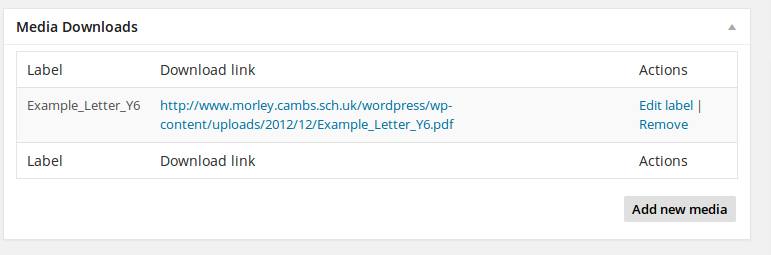
- please delete the example media using “Remove” and add the materials for your year group using “Add new media”
- Finish by hitting the “Update” button